

Capture Studio – Create Better Screen Recordings
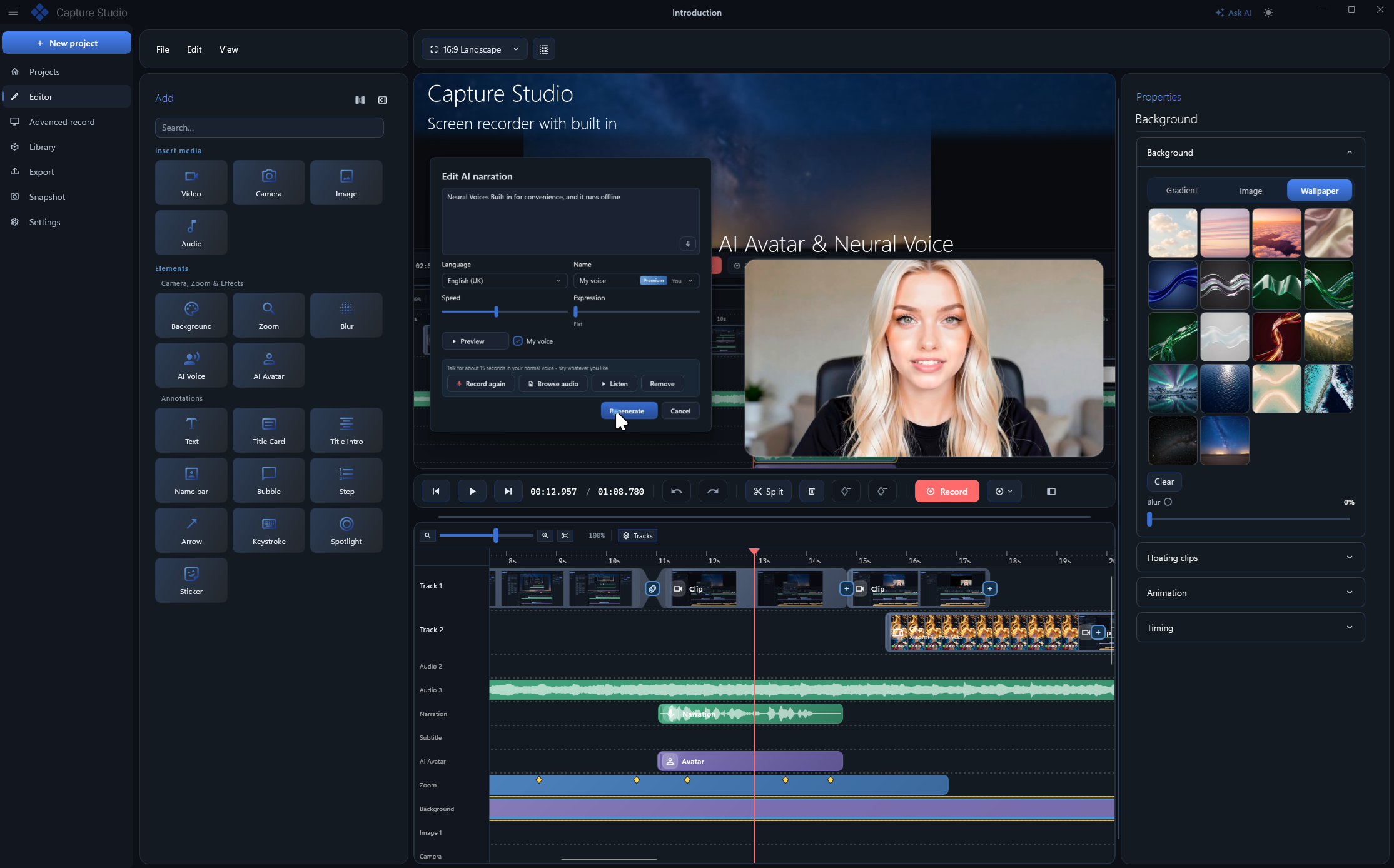
Capture Studio is a screen recording and video editing application for Windows that helps you turn simple screen captures into polished videos, tutorials, product demos, and step-by-step guides.
It is built for people who regularly need to explain what is happening on their screen but do not want to spend hours working with complicated video editing software. Recording and editing are handled inside the same application, so you can capture your screen, improve the recording, add visual effects, generate subtitles or voice-overs, and export the finished video from one place.
Capture Studio can be used by developers, SaaS founders, marketers, educators, customer support teams, and content creators. It works particularly well for software walkthroughs, onboarding materials, feature announcements, educational videos, documentation, and product demonstrations.
What can you do with Capture Studio?
Record your screen – Capture the entire screen, a specific application window, or only a selected area.
Record smooth videos up to 120 FPS – High frame rate recording makes cursor movements, animations, and software interactions look smoother.
Edit recordings immediately – Use the integrated multi-track timeline to cut, arrange, and improve your recordings without moving them to another editor.
Automatically zoom into important areas – Smart zoom can focus the viewer's attention on the part of the interface where something is happening.
Improve cursor visibility – Add smoother cursor movement and click effects so viewers can easily follow your actions.
Show keyboard shortcuts – Display keystrokes directly in the video, making technical tutorials and software demonstrations easier to understand.
Generate automatic subtitles – Turn spoken audio into captions using on-device speech recognition.
Create AI voice-overs – Generate narration with a selection of AI voices and languages or create a voice based on your own recording.
Add AI avatars – Include a virtual presenter in your recordings without having to film yourself separately.
Remove unwanted background noise – Reduce sounds such as keyboard typing, computer fans, or other background noise.
Blur sensitive information – Hide passwords, personal information, faces, or confidential areas of your screen. Blur effects can also follow moving elements.
Record Android devices – Mirror an Android device and include its screen in your recording workflow.
Create step-by-step documentation – Capture individual actions and transform them into visual documentation that can be exported to Markdown, HTML, PDF, or PowerPoint.
Capture Studio also focuses on local processing. Instead of requiring users to upload their recordings to a cloud service for processing, its recording and editing workflow is designed to operate directly on the computer.
The result is an all-in-one screen recording workspace that goes beyond basic screen capture. Capture Studio combines recording, video editing, automatic zoom, cursor effects, subtitles, AI narration, privacy tools, and documentation features to help users explain software and processes more clearly.
Whether you are demonstrating a new SaaS feature, recording a tutorial, preparing internal training material, or creating documentation for customers, Capture Studio provides the tools needed to transform a basic screen recording into professional content.